How to use AI models to analyze gut symptoms and find patterns
How to structure digestive data into clinical prompts for ChatGPT and Claude to uncover motility patterns without exposing private health information.
Generative AI models like ChatGPT and Claude can parse complex health journals to spot patterns and suggest clinical talking points. However, pasting messy narrative notes results in generic advice or hallucinated diagnoses. Feeding the model structured clinical distributions (Bristol percentages, daily urgency averages, tenesmus rates, and lagged trigger counts) while keeping personal identifiers private produces actionable discussion questions for your gastroenterologist.
Summary of steps in this guide
- 1Aggregate your symptom logs into clinical distributions
Convert hundreds of daily notes into clean summary percentages for constipation, normal, and diarrhea.
- 2Strip all personal identifiers before prompting
Remove your name, location, dates of birth, and identifiable notes before sharing health data with external AI servers.
- 3Frame the AI persona as a motility research analyst
Instruct the model to act as a functional health researcher evaluating transit patterns rather than generating a diagnostic label.
- 4Input quantitative motility, pain, and trigger frequencies
Feed the model exact numbers: pain scores out of 10, urgency out of 5, and lag window correlations.
- 5Request a physician discussion guide
Ask the model for specific, high-yield questions using clinical terminology to review with your doctor.
Many people paste questions into ChatGPT or Claude when struggling with digestive problems: "Why does my stomach hurt every afternoon?" or "Do I have SIBO or IBS?"
The AI usually responds with a generic checklist: drink more water, eat more fiber, reduce stress, and talk to your doctor.
This happens because large language models reflect the specificity of the prompt they receive. If you provide vague narrative notes, you get generic lifestyle advice.
If you feed the model structured clinical distributions, quantitative motility numbers, and lagged trigger correlations, the AI generates focused clinical patterns and physician discussion questions.
Why raw notes fail with AI models
When you paste raw diary entries into an AI tool, three problems occur:
- Context overflow and noise: The model gets distracted by irrelevant details like what movie you watched or minor daily errands.
- Availability bias: The model places undue weight on your most recent emotional complaints rather than statistical monthly averages.
- Privacy risks: Raw journal text often contains names, specific locations, or personal relationships that you should not transmit to cloud servers.
To obtain useful insights, you must convert your journal into a structured clinical prompt.
The 5-step clinical prompting protocol
Step 1: Aggregate your symptom logs into clinical distributions
Do not paste 60 individual diary entries. Calculate your monthly aggregates first:
- Total logs recorded
- Average daily bowel movement frequency
- Predominant Bristol stool type
- Percentage of constipation (Bristol 1 to 2)
- Percentage of normal form (Bristol 3 to 4)
- Percentage of diarrhea (Bristol 5 to 7)
Step 2: Strip all personal identifiers
Ensure the prompt contains zero identifying personal data:
- Remove names, ages, and geographical locations
- Omit specific calendar dates, replacing them with relative tracking windows (such as "30-Day Period")
- Remove brand names of private employers or local restaurants
Step 3: Define the persona and scope
Instruct the AI model clearly regarding its role and boundaries:
- Assign the persona: "Act as a clinical data analyst and functional health researcher specializing in gastroenterology and motility patterns."
- Set the scope: "This analysis is for pattern recognition and lifestyle preparation, not a formal medical diagnosis."
Step 4: Input quantitative motility, pain, and trigger frequencies
Supply numeric values for every clinical metric:
- Motility and sensation: Average pain score out of 10, average urgency score out of 5, and tenesmus (incomplete evacuation) percentage.
- Clinical alerts: Percentage of logs containing blood or mucus, and counts of red or black stools.
- Diet and triggers: Your current dietary protocol and specific foods with high symptom correlation (including occurrence counts and lag windows).
Step 5: Request a structured physician discussion guide
Ask the model to return its findings in four distinct sections:
- Motility and stool analysis: What does this Bristol distribution suggest regarding transit speed?
- Trigger and symptom correlations: What potential carbohydrate intolerances or physiological factors warrant deeper investigation?
- Clinical patterns to consider: What conditions typically display this profile?
- Physician discussion guide: Suggest 3 to 4 targeted questions using clinical terminology to bring to your next gastroenterology appointment.
How GutLog 1.5.6 automates your AI prompt
Manually calculating Bristol percentages and formatting clinical prompt templates takes significant effort. GutLog 1.5.6 includes the AI Insight Architect v2 to generate this prompt in one tap:
- Local-only aggregation. GutLog processes your entries directly on your iPhone. Your raw logs never touch external servers or cloud databases.
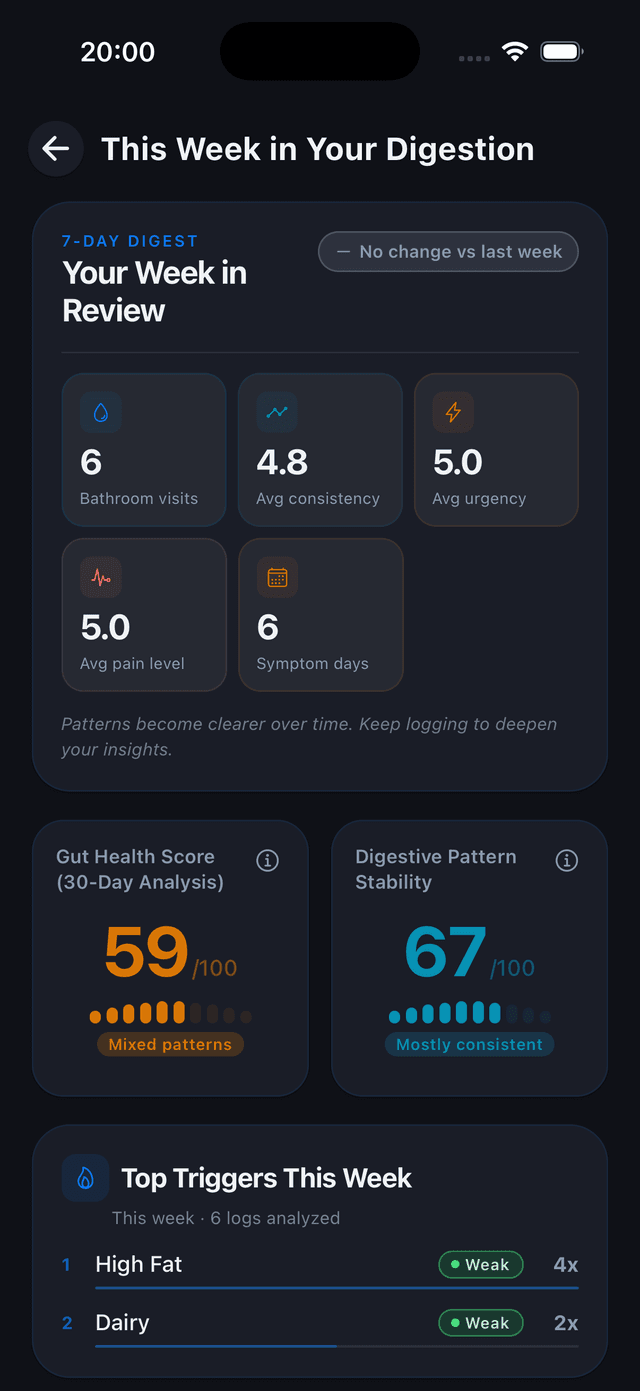
- Automatic metric formatting. The app calculates your motility distributions, tenesmus rates, and dietary correlations automatically.
- Clinical prompt generator. GutLog formats your statistics into the exact prompt structure recognized by Claude, ChatGPT, and Perplexity.
- One-tap clipboard copy. Tap "Copy Prompt" inside
app/(tabs)/analytics.tsxand paste it directly into your preferred AI model. - Doctor discussion points. The resulting AI output equips you with professional clinical questions for your doctor, making your appointment far more productive.
Automate this protocol with GutLog 1.5.6
Tracking symptoms and calculating statistical correlations on paper or spreadsheets takes hours, introduces memory bias, and cannot detect multi-hour transit delays.
GutLog compiles your logs into an anonymized clinical prompt formatted for ChatGPT and Claude with one tap.
- Evaluates 6 digestion lag windows (2, 4, 8, 12, 24, 36 hours)
- Calculates Poisson arrival baseline rates and lift scores
- Generates doctor-ready A4 PDF reports in one tap
- Operates 100% on-device with zero cloud health tracking
Frequently asked questions
Is it safe to share health symptoms with ChatGPT or Claude?
It is safe only if you anonymize your data first. Never include your name, contact information, date of birth, or sensitive personal details. Aggregate your entries into clinical percentages before submitting them.
Can ChatGPT diagnose IBS or Crohn's disease?
No. Large language models cannot conduct physical examinations, review blood markers, or perform colonoscopies. AI models are effective for pattern recognition, timeline organization, and preparing discussion questions for your doctor.
Why do AI models give generic answers to digestive questions?
LLMs provide generic advice when prompts contain vague text like 'my stomach hurts after lunch.' Providing quantitative metrics such as Bristol distributions, tenesmus percentages, and 12-hour lag windows forces the model to generate specific clinical insights.
Start tracking your digestive health today
Download GutLog for iPhone. Free to start, no account required, completely private.
Download on the App Store